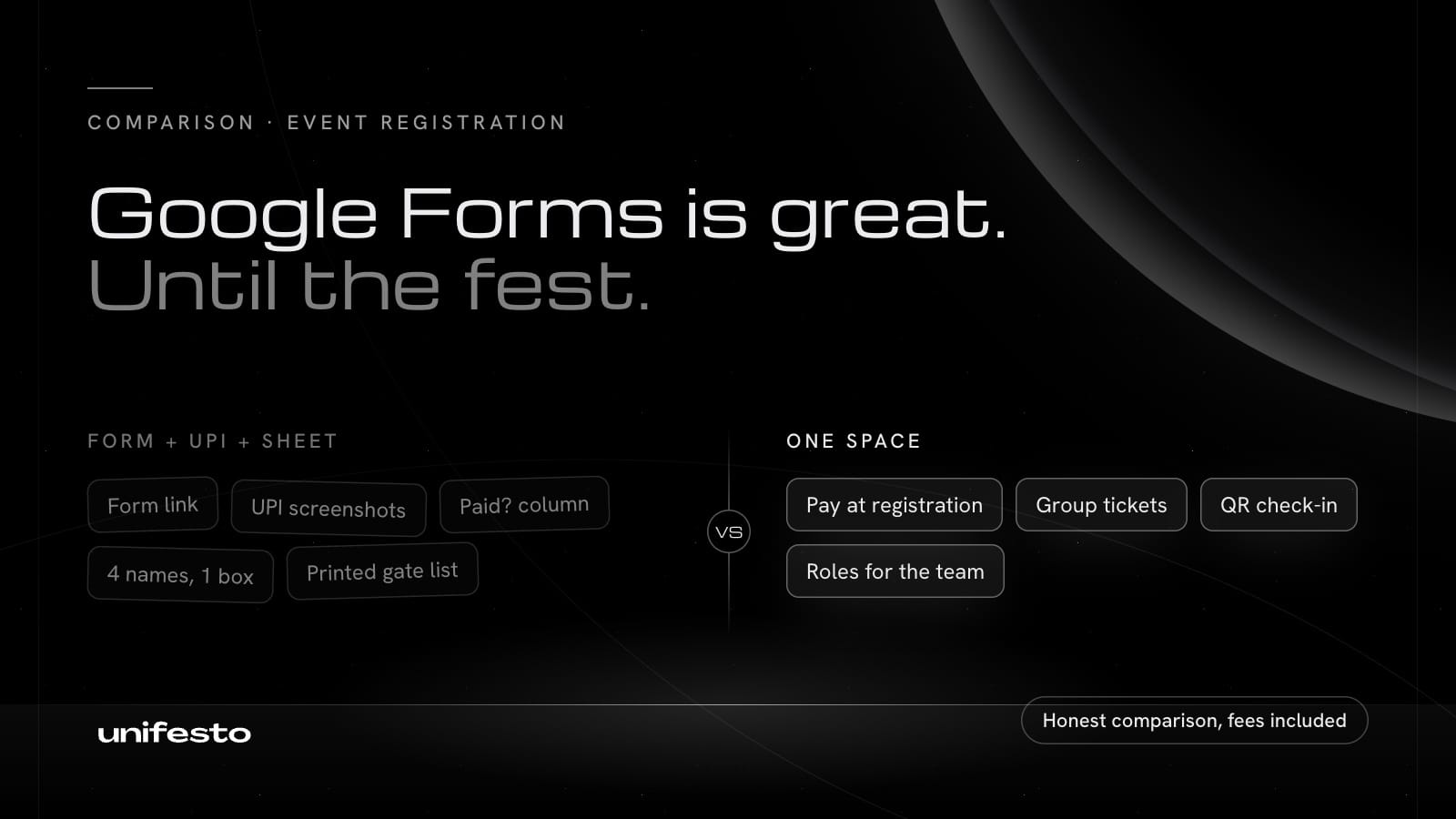
Google Forms works for event registration when the event is free, small and needs only a list of names. Once you sell tickets, register teams or check people in at a gate, Google Forms needs a spreadsheet, UPI screenshots and a separate check-in list beside it. Unifesto does those steps in one place.
This comparison is as of 20 Oct 2026. It covers what organisers of college fests, club events and community meetups in India usually need.
Quick answer
| You need | Better choice |
|---|---|
| A free event with under 100 people and no check-in | Google Forms |
| A survey, quiz or feedback form | Google Forms |
| Paid tickets with online payment | Unifesto |
| Team or group registration | Unifesto |
| QR passes and check-in at the gate | Unifesto |
| Payouts and a record of every rupee | Unifesto |
| A team of organisers with different access | Unifesto |
Feature comparison (as of 20 Oct 2026)
| Feature | Google Forms | Unifesto |
|---|---|---|
| Price to start | Free with a Google account | ₹0 a month on the Starter plan, which suits a first event; fests with many events and ticket tiers usually need Pro |
| Fee on free events | None | None |
| Fee on paid tickets | No payments built in, so no fee | Buyer: 5% processing fee at checkout, max ₹99 per ticket. Organiser: 0% platform fee until 2 Nov 2026, then your plan's rate on the pricing page |
| Collect payment | Not built in; needs a payment link, UPI screenshots or an add-on | Razorpay checkout, money paid out to your bank account |
| Ticket types and prices | Not built in | Multiple ticket types per event, early bird, sales windows |
| Team registration | One response per team, with the lead typing in every member's details | Group tickets: the lead pays once, members claim their own seat |
| Discount codes | Not built in | Percent or flat codes with a usage limit |
| Custom questions | Yes, many question types | Yes, including file upload and show-if logic |
| Capacity limit | One response limit or close date for the whole form | Seats per ticket type, with a waiting list on Pro |
| Pass for the attendee | An emailed copy of their response, if you turn it on; no QR | QR pass in the app and by email |
| Check-in | A printed or shared sheet | QR scanning from a phone at one or more check-in points |
| Team access | Share the form and sheet with editors | Curator, Co-Curator and Crew roles per event |
| Money record | Your own spreadsheet | Collected, fees, refunds and net payout per event |
| Certificates | Not built in | Templates with public verification (Pro) |
| Where attendees register | Any browser, no app | The free Unifesto app on iOS and Android |
| Sign-in for attendees | Not needed, unless you collect files, limit to one response or restrict to your college domain | A free Unifesto account: email, Google or Apple, plus a verified Indian mobile number |
Sources for Google Forms: Google Forms help, Add a file upload question, Close a form or set a response limit. Sources for Unifesto: pricing, terms, for organisers.
Where Google Forms is better
Google Forms is the better pick in these cases, and we use it ourselves for surveys.
- It costs nothing, ever. Google Forms has no fee on anything, because it does not handle money. On Unifesto, paid tickets carry a 5% processing fee for the buyer (up to ₹99 a ticket), and from 2 Nov 2026 a platform fee for the organiser.
- Nobody needs an app. Anyone with a browser can fill a Google Form. Unifesto registration happens in the Unifesto app, so attendees install it first.
- It is ready in two minutes. You do not need approval to start. A Unifesto Space is reviewed before your first event, usually within 24 to 48 hours.
- Everyone already knows it. Your team and your attendees have used it before.
- It does more than events. Quizzes with marks, feedback surveys, recruitment forms and polls all fit in Google Forms.
- It sits inside Google Workspace. Responses land in Google Sheets, and colleges on Workspace can restrict a form to their own domain.
Where Unifesto is better
Unifesto is built for events, so it covers the steps that come after the form.
- Payment is part of registration. Attendees pay through Razorpay when they register, so nobody matches UPI screenshots to form rows.
- Teams register once. A team lead buys a group ticket and invites the members, and each member gets their own pass.
- Every attendee gets a QR pass. Crew scan it at the gate from a phone, and duplicate scans are flagged.
- Your team gets the right access. A gate volunteer gets the scanner and a name search, not the revenue or the full attendee list.
- The money adds up. Each event shows collected, fees, refunds and the net payout to your bank account.
- Next year's team inherits it. Every event and report stays in the club's Space, not in one person's Google Drive.
What Unifesto does not do (yet)
We would rather you hear our gaps from us.
- Unifesto takes payment in Indian rupees only.
- Attendees register in the Unifesto app, not on the web.
- Attendees need an Indian (+91) mobile number to sign up.
- Unifesto does not run live polls or Q&A during an event yet.
- Unifesto does not bring you an audience by itself; you still promote your event.
- A new Space is reviewed by our team before its first event goes live.
Moving from Google Forms to Unifesto
If you already collected registrations in Google Forms, you do not have to start over.
- Request a Space for your club and wait for approval.
- Create the event and its ticket types.
- On the event's attendee list, open Import, pick the ticket type and download its CSV template.
- Export your Google Form responses from Google Sheets, paste them into the template and upload it. You see a review before anything is added.
- Share the event link for new registrations from here on.
Imported attendees are added without payment. For a paid ticket, request free seats from the Unifesto team to cover people who already paid you by UPI.
Imported attendees appear in the same attendee list as everyone who registers in the app, so your counts and check-in list stay in one place.
Pricing (as of 20 Oct 2026)
| Fee | Who pays | Starter | Pro | Enterprise |
|---|---|---|---|---|
| Processing fee | Buyer, added at checkout, not refundable | 5%, max ₹99 per ticket | 5%, max ₹99 per ticket | 5%, max ₹99 per ticket |
| Platform fee, until 2 Nov 2026 | Organiser | 0% | 0% | 0% |
| Platform fee, from 2 Nov 2026 | Organiser, on paid tickets sold from that date | Your plan's rate on the pricing page | Your plan's rate on the pricing page | Your plan's rate on the pricing page |
| Free RSVP events | Nobody | No fees | No fees | No fees |
On a ₹500 ticket, the buyer pays ₹525 and the organiser gets ₹500 for tickets sold before 2 Nov 2026. Tickets already sold keep the fee they were sold at. Launch pricing applies to Spaces that join before 31 March 2027.
Google Forms charges nothing, because it does not take payments. Collecting by UPI has no platform fee either, but you match every payment by hand. Compared like for like on a free event, both cost ₹0.
| ₹500 ticket | Google Forms + UPI | Unifesto, sold before 2 Nov 2026 |
|---|---|---|
| Buyer pays | ₹500 | ₹525 |
| Organiser gets | ₹500, matched by hand | ₹500, paid out to your bank |
Pro and Enterprise also add features such as waiting lists, certificates and Unifesto Sprint. Plan prices are on the pricing page.
Planning the whole fest, not just registration? Read how to organize a college fest.
FAQ
Can I use Google Forms for event registration?
Yes. Google Forms works well for small free events where you only need names and contact details. It has no built-in payments, tickets or check-in.
Can Google Forms collect payment for an event?
Google Forms has no payment question. Organisers usually add a UPI ID or payment link and ask for a screenshot, then match payments to responses by hand.
Does Google Forms need attendees to sign in?
Not by default. A Google Form asks people to sign in to a Google account when it has a file upload question or limits each person to one response.
Is Unifesto free like Google Forms?
Yes, for free events. Free RSVP events have no fees. The Starter plan costs ₹0 a month and suits a first event. Fests with many events and ticket tiers usually need Pro. On paid tickets, the buyer pays a 5% processing fee at checkout, max ₹99 per ticket, on every plan, and it is not refundable. The organiser pays a 0% platform fee until 2 Nov 2026. From 2 Nov 2026, paid tickets sold from that date carry the platform fee for the Space's plan, as listed on the pricing page. Tickets already sold keep the fee they were sold at. On a ₹500 ticket, the buyer pays ₹525 and the organiser gets ₹500 for tickets sold before 2 Nov 2026.
Do attendees need the Unifesto app to register?
Yes. Attendees register and pay in the free Unifesto app on iOS and Android, and they also get their pass by email.
Can I import my Google Form responses into Unifesto?
Yes. Export the responses from Google Sheets, paste them into the import template for the ticket type and upload it from the event's attendee list in your Space. Imported attendees are added without payment. On a paid ticket, each one uses a free seat approved by the Unifesto team.
Which is better for team registration, Google Forms or Unifesto?
Unifesto is better for teams. A team lead buys a group ticket and invites each member to claim a seat, while Google Forms needs every member's details typed into one response.